How to Delete Your Account
Learn how to permanently delete your Roomcord account, what happens to your data, and how to contact support.
How to Delete Your Account
Last updated: April 16, 2026
Deleting your Roomcord account is permanent. Once confirmed, all your rooms, messages, and personal data are removed and cannot be recovered. There is no grace period or recovery option.
Steps to Delete Your Account
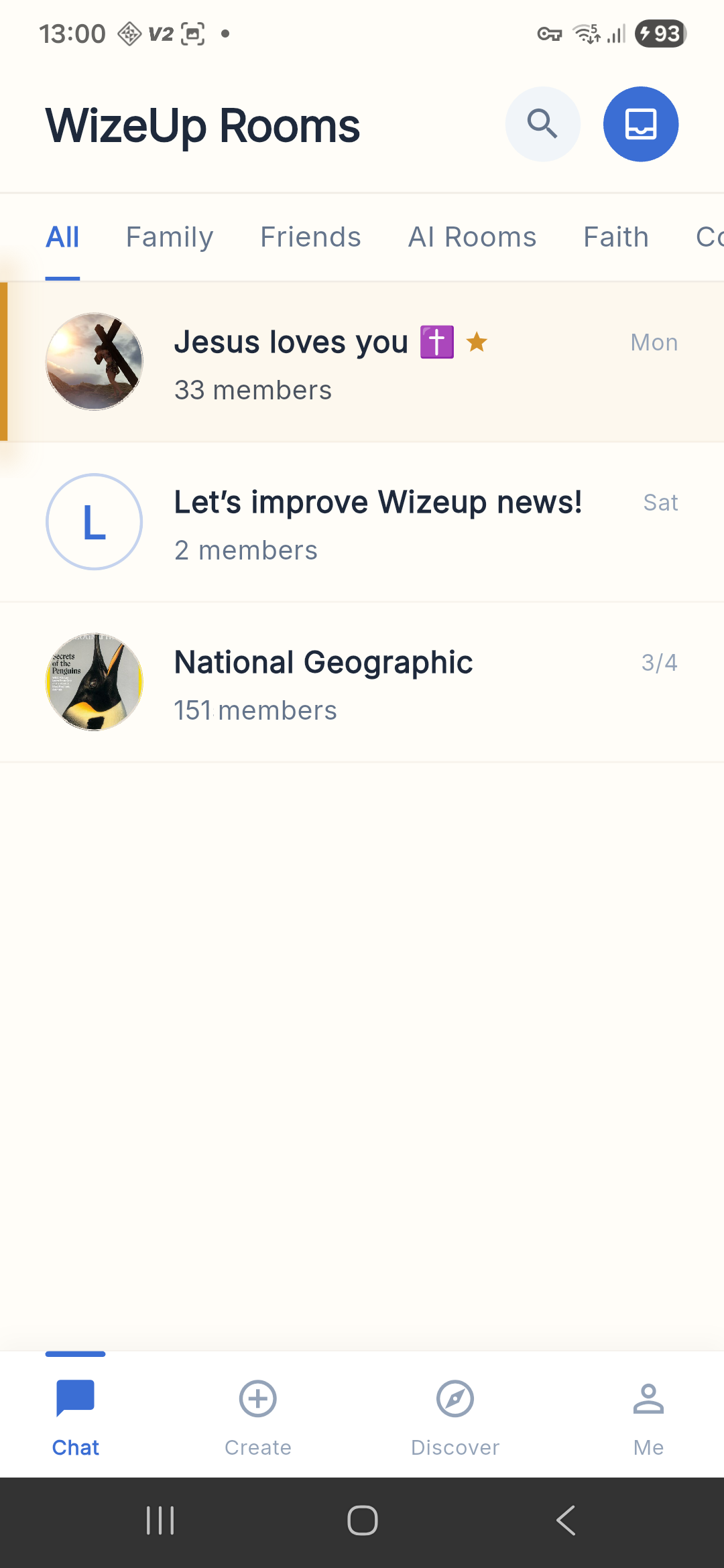
1. Open the Me tab
Tap the Me icon in the bottom navigation bar to open your profile.
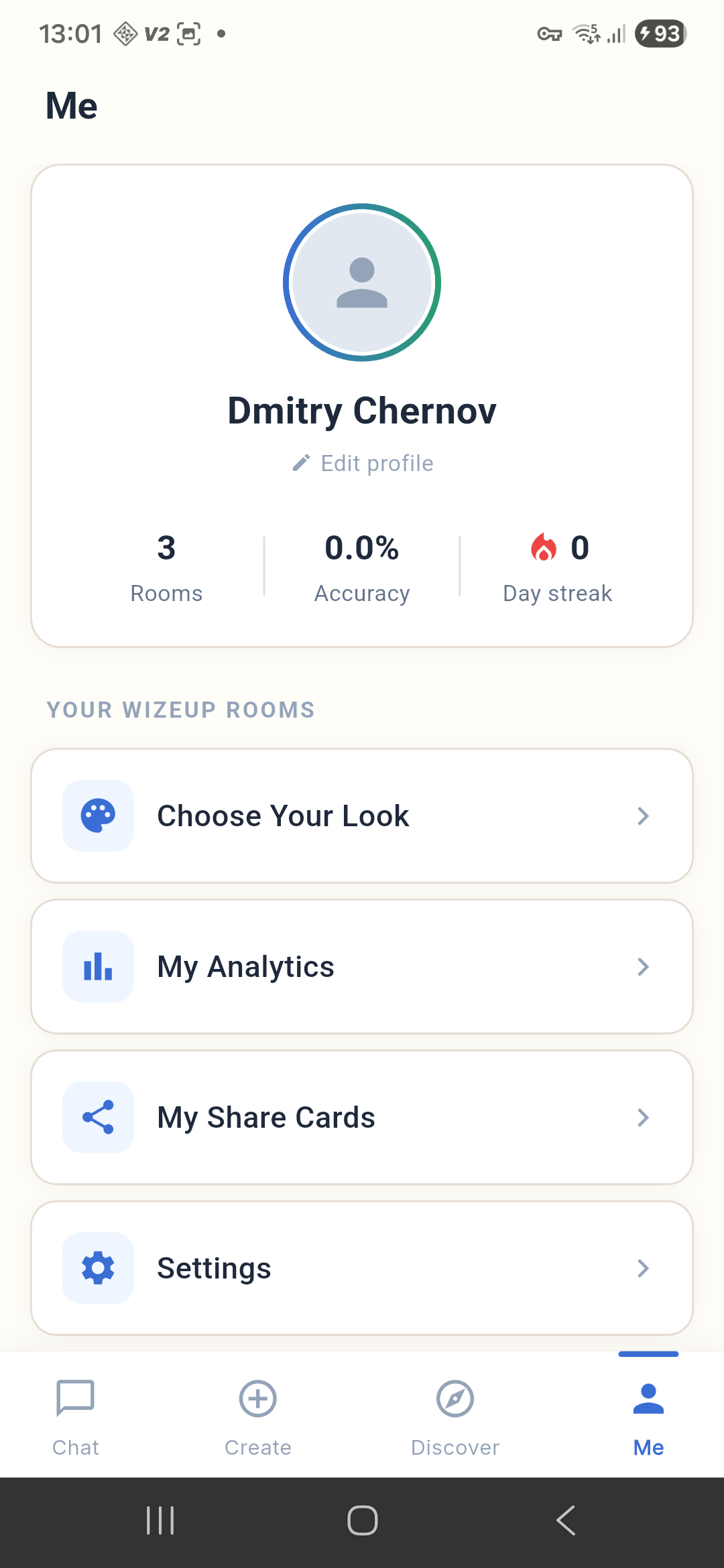
2. Open Settings
Scroll down on your profile page and tap Settings.
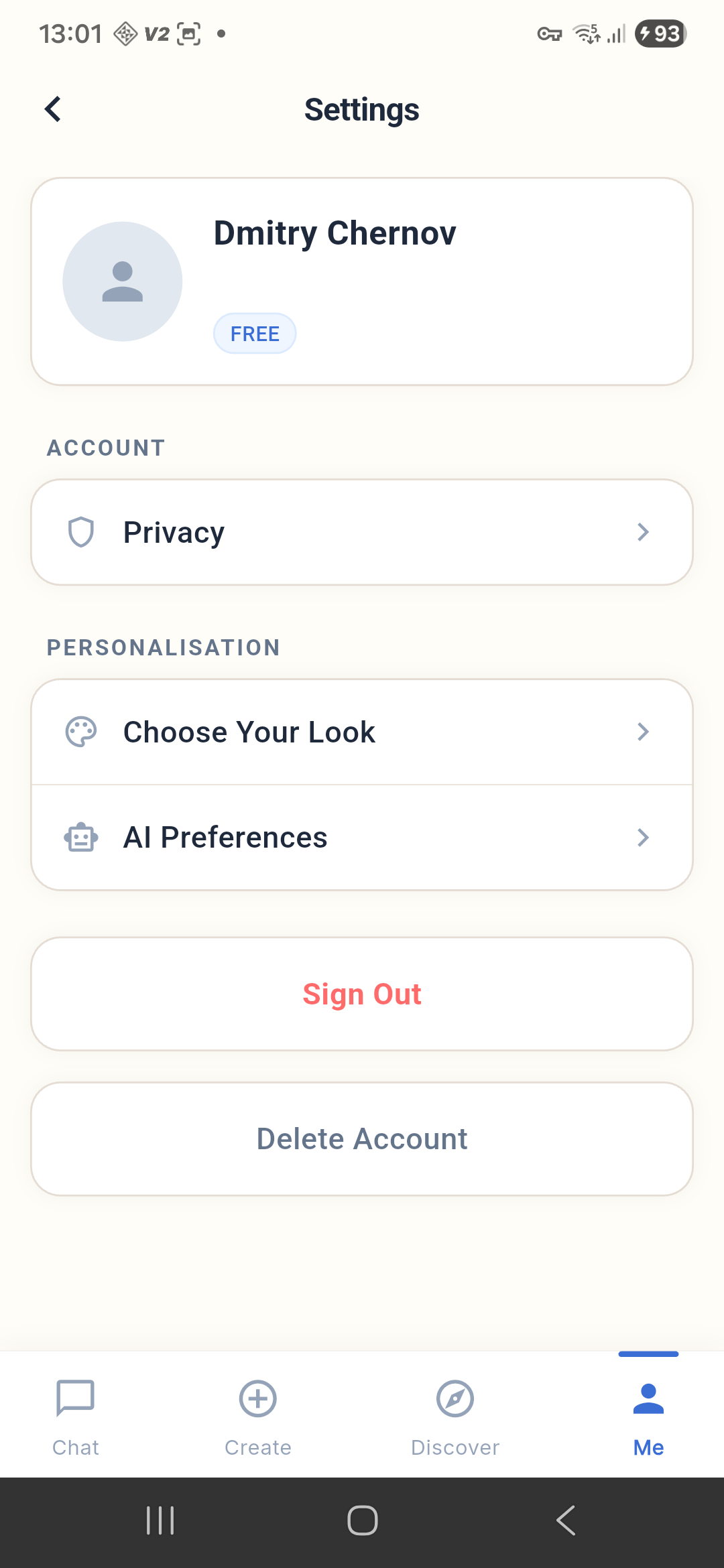
3. Tap “Delete Account”
Scroll to the bottom of the Settings screen and tap Delete Account.
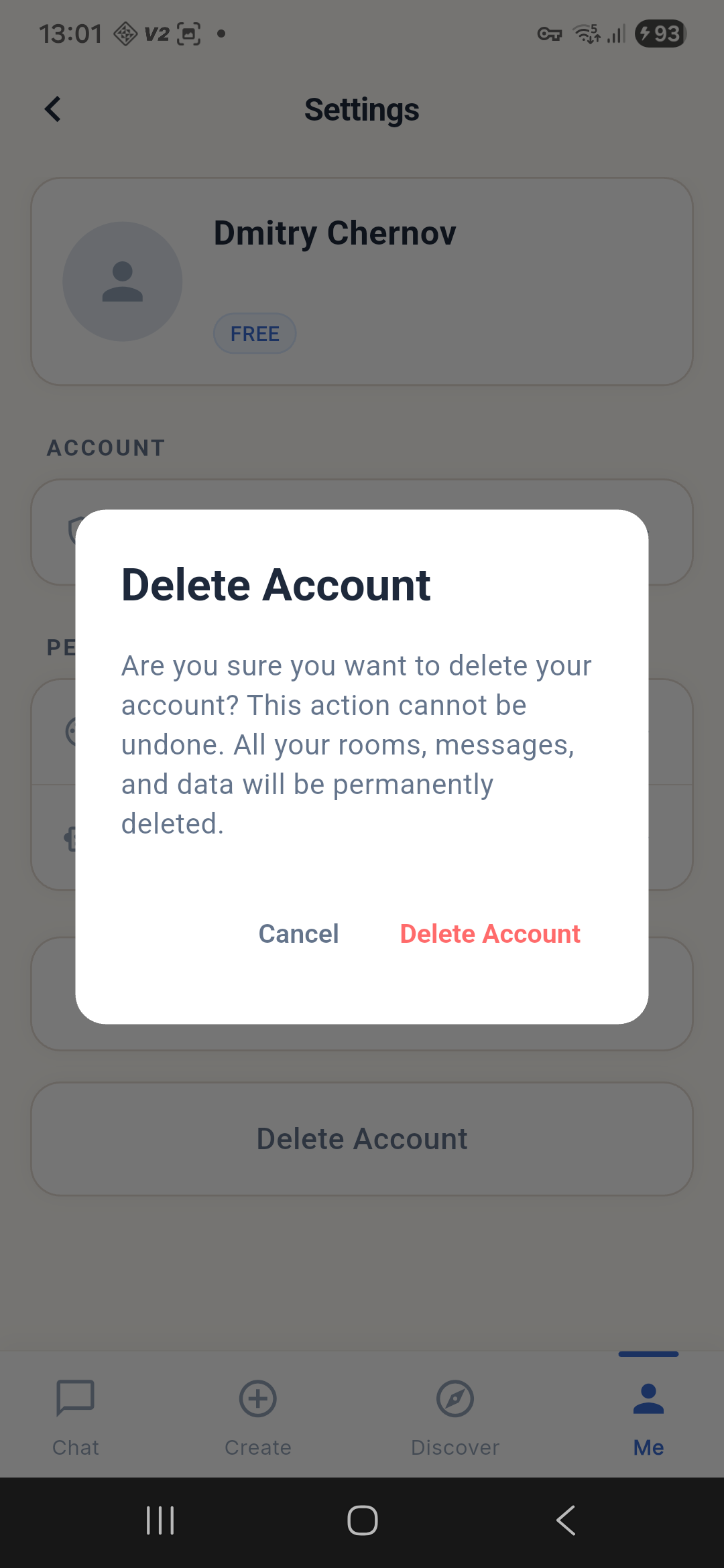
4. Confirm deletion
A confirmation dialog will appear asking you to verify your intent. Tap Delete Account to confirm, or Cancel to go back.
What Happens After Deletion
- You are signed out immediately and returned to the welcome screen.
- All rooms you created are deleted, along with their messages and content.
- Your messages in other people’s rooms are anonymized and no longer linked to your profile.
- All personal data — saved messages, notifications, subscriptions, and account preferences — is permanently removed.
- This action cannot be undone.
Data Retention
In some cases, certain data may be retained for a limited period to comply with legal obligations, resolve disputes, or enforce our agreements. For more details, see our Privacy Policy.
Having Trouble?
If the deletion fails, check your internet connection and try again. If the issue persists or you are unable to delete your account through the app, contact us directly and we will process the request manually:
- Email: privacy@roomcord.com
- Website: roomcord.com
We will respond within a reasonable time and confirm once your account and data have been removed.